QR code menus are printed codes on tables, menus or tent cards that open your menu on a guest’s phone when they point the camera at them. At their simplest they link to a web page or PDF of your menu. At their most advanced they let guests order and pay without waiting for a server.
They save printing costs and let you change prices in minutes, but they also shut out guests who cannot or will not use a phone, and they open a door to scammers who swap codes. This explainer covers how they work, the two main types, the accessibility and security issues, and how to set one up properly.
Key takeaways
- A QR code is just a link. What matters is the page it opens: fast, readable and accessible on a small screen.
- Static menu codes are cheap and simple. Order-and-pay systems change your service model and staffing.
- Keep printed menus available for guests who ask. Accessibility obligations cover digital content too.
- The FBI and FTC have both warned about tampered QR codes. Check your codes every shift.
- Use a code that points to a web address you control, so you can update prices without reprinting.
In this guide
- How QR code menus work
- Static menu or order-and-pay
- The real pros and cons
- Accessibility: keep printed menus on hand
- Security and QR code tampering
- Setting one up and keeping prices current
- FAQ
- A one-week rollout plan
How QR code menus work
A QR code is a square barcode that stores a short piece of data, almost always a web address in a restaurant. The guest opens the phone camera, points it at the code, and taps the link that appears. The phone then loads whatever sits at that address.
That means the code itself does very little. The guest experience depends entirely on the destination page: how fast it loads on a weak signal, how easy it is to read, and whether it works for everyone at the table.
Direct and redirect codes
- Direct code: the web address is encoded in the square itself. If the address changes, you have to reprint every code.
- Redirect code: the square points to a short link that forwards to your menu. You can change the destination without reprinting, but you depend on whoever runs the redirect service.
The most robust setup is a code pointing to a page on your own website domain, such as yoursite.com/menu. You control it, you can update it at any time, and it keeps working if you change menu software.
Static menu or order-and-pay
QR menus come in two broad types, and they suit very different restaurants.
Static menu codes
The code opens a menu to read, and the guest still orders with a server. It is inexpensive, fast to set up and changes nothing about service. It suits most full-service restaurants that want a digital backup to printed menus, or a quick way to show a changing specials list.
Order-and-pay codes
The code opens an ordering page connected to your POS. Guests browse, customise, order and often pay from the phone, and tickets go straight to the kitchen. This can speed up table turns in busy casual venues, bars and counter-service concepts, and it can reduce the number of servers needed on the floor.
The trade-offs are larger. Order-and-pay requires POS integration, payment processing, clear rules on tipping and service charges, and a plan for guests who want to order the traditional way. Some guests enjoy the control. Others find it cold, particularly for a special occasion.
The real pros and cons
Advantages
- Change prices, dishes and allergen notes instantly, without reprinting.
- Lower printing costs, especially for menus that change often.
- Room for more detail: photos, ingredient lists, wine notes and translations.
- With order-and-pay, faster ordering at busy times and fewer steps for staff.
Disadvantages
- Excludes guests without a smartphone, with a flat battery, or with poor signal inside the building.
- Harder to read for some guests with low vision, and awkward to share around the table.
- Adds another screen to a meal that many guests want to be screen-free.
- Creates a target for code tampering if nobody checks the stickers.
- Depends on a working website and, for order-and-pay, a working POS integration.
A QR code is a shortcut to your menu, never a replacement for it.
Accessibility: keep printed menus on hand
Accessibility is where many QR rollouts fall short. The U.S. Department of Justice’s guidance on web accessibility and the ADA says businesses open to the public, including food and drink establishments, must provide full and equal enjoyment of their goods and services to people with disabilities, and notes that an inaccessible website can exclude people just as steps at an entrance can. It points to the Web Content Accessibility Guidelines as a helpful technical standard.
The W3C’s WCAG overview organises those guidelines around four principles: content must be perceivable, operable, understandable and robust. For a menu page, that translates into practical checks.
- Publish the menu as real text on a web page, not as a scanned image or a PDF of a photo, so screen readers can read it.
- Use a readable font size and strong contrast, and let the page zoom without breaking.
- Describe dishes and prices in text, not only in images.
- Make ordering buttons large enough to tap and label them clearly.
- Test the page with a phone’s built-in screen reader before launch.
Most importantly, keep printed menus on hand and train staff to offer one without making the guest ask twice. A few printed copies, in regular and large print, cover guests who cannot or will not scan.
Security and QR code tampering
Criminals have learned that people trust QR codes. The FBI’s Internet Crime Complaint Center warned in January 2022 that cybercriminals are tampering with QR codes to redirect victims to malicious sites that steal login and financial information, including by placing stickers over legitimate codes. In December 2023 the FTC warned consumers about scammers hiding harmful links in QR codes, citing fake codes stuck over the real ones on parking meters.
A table tent is an easy target for the same trick. Protect your guests and your name:
- Print codes directly onto menus, table cards or laminated stands rather than using loose stickers.
- Put your restaurant’s web address in plain text under the code so guests can check the link that appears.
- Have the opening or closing manager check every code for stickers or damage each shift.
- Scan a sample of codes weekly to confirm they still open your page.
- Never ask guests to download an app or enter card details on a page you do not control.
If you find a tampered code, remove it, check the rest, and warn any guests who may have scanned it.

Setting one up and keeping prices current
A basic static QR menu can be running in an afternoon. The steps below assume you already have a website.
- Build or update the menu as a text web page on your own domain, with prices, dietary notes and allergens.
- Check it on two or three different phones over mobile data, not just on the restaurant Wi-Fi.
- Generate a code that points to that page. Test it from different distances and in dim light.
- Print it with a short line of text, such as “Scan for our menu, or ask for a printed copy”, plus the web address.
- Place codes where guests can scan them without leaning across the table.
Keeping prices up to date
The biggest benefit of a digital menu disappears if it drifts out of sync with the POS. Make one person responsible for updating the web menu whenever prices change in the POS, and check both against each other monthly. Any printed backup menus need the same update on the same day, so guests never see two prices for one dish.
Guest data
Order-and-pay platforms often collect names, emails, phone numbers and order history. Before you sign, find out what is collected, who owns it, how it is protected and whether guests can opt out of marketing. Collect only what you will actually use. For more on connecting digital tools to your till, see choosing a restaurant POS system and our restaurant tech and POS guides.
FAQ
Are QR code menus still worth it?
For many restaurants, yes, as a supplement to printed menus. They are most useful where prices or dishes change often, or where order-and-pay suits the service style.
Do I need an app for a QR menu?
No. Modern phone cameras read QR codes without an extra app. Guests should never need to download anything to see your menu.
Can I use a free QR code generator?
You can, but check whether the code points directly to your address or through the generator’s redirect. Some redirect codes stop working if an account lapses.
How do I show allergen information?
List it in text on the menu page next to each dish, and keep the same information in your printed menu and with staff.
Should order-and-pay replace servers?
It can reduce the number of trips a server makes, but most full-service guests still expect someone to answer questions and look after the table.
A one-week rollout plan
Spend the next week doing it properly. Day one, move your menu onto a text page on your own site. Day two, test it on several phones and with a screen reader. Day three, print codes onto table cards with the web address underneath. Day four, add a code check to the opening checklist. Day five, brief staff on offering printed menus. If you later move to order-and-pay, improving table turnover covers how to measure whether it is helping.
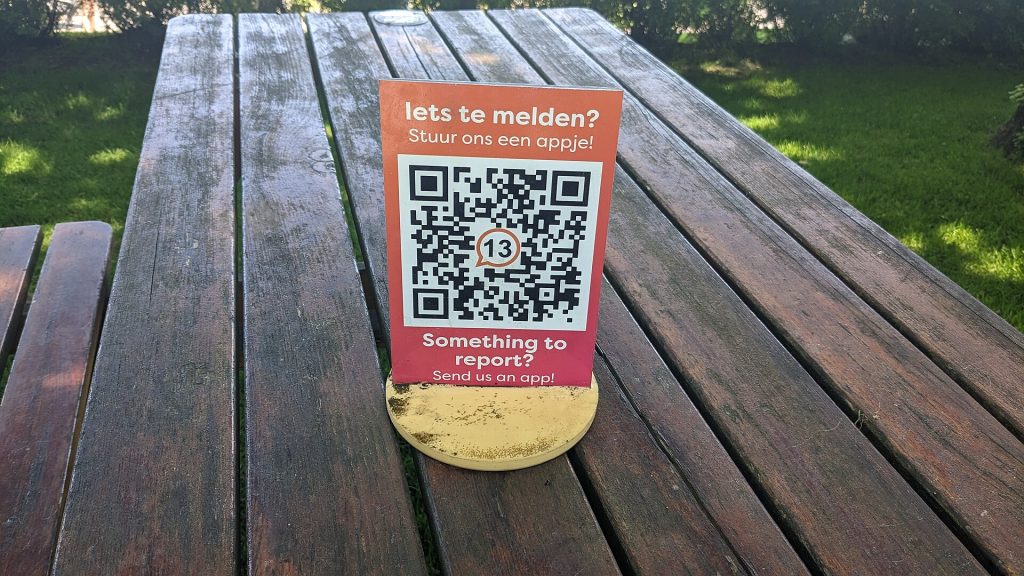
Featured photo: Table bench QR Code at the Madurodam, The Hague (2023) 04 by Donald Trung Quoc Don (Chữ Hán: 徵國單) – Wikimedia Commons – © CC BY-SA 4.0 Intern, BY-SA 4.0.