The right restaurant reservation system is the one whose pricing fits your booking volume, whose waitlist and deposit tools match how you seat guests, and whose contract lets you keep and export your guest data. Discovery networks and POS integration come next. Brand name and feature count matter far less than most sales demos suggest.
The choice is easy to get wrong because vendors price in different ways and bundle different things. One charges per seated guest, another a flat monthly fee, another both. A system that is cheap for a 40-seat neighbourhood spot can be the most expensive option for a 200-seat room.
This guide walks through the criteria to compare, the questions to put to every vendor, and three budget tiers described by what you get rather than invented price tags.
Key takeaways
- Model your cost at your real monthly covers. Per-cover fees and flat subscriptions change rank as volume grows.
- Deposits and card holds cut no-shows only if the policy is clear before the guest books.
- Read the data clause. You want the right to export guest names, contact details and visit history.
- Check that the system shares table status with your POS, not just a logo on the integrations page.
- Google bookings run through supported providers, and New York now requires third-party reservation sellers to have a written agreement with the restaurant.
Start with how you actually seat guests
Before you look at any vendor, write down how your room works. A tasting-menu counter with two fixed seatings needs different tools than a busy brunch spot that runs mostly on walk-ins.
- Share of reservations vs walk-ins. If walk-ins dominate, the waitlist matters more than the booking widget.
- Turn times. Do they vary by party size and daypart? The system should let you set them that way.
- Table layout. Combinable tables, bar seating and patios that open seasonally all need to be modelled.
- Special formats. Ticketed events, prepaid tasting menus and private dining each need specific features.
- Who runs the stand. A system your hosts find slow on a Friday night will be worked around, not used.
Keep this list next to you in every demo. Ask the vendor to show your hardest shift, not their sample restaurant.
Pricing models: cover fees vs subscriptions
Reservation platforms generally price in one of three ways, and the right one depends on volume.
| Pricing model | How it works | Tends to suit | Watch for |
|---|---|---|---|
| Per-cover fee | You pay for each guest seated through the platform, sometimes only for network bookings | Lower-volume rooms, or places that get real demand from the vendor’s app | Costs that rise with your success; fees on guests who would have found you anyway |
| Flat subscription | A fixed monthly fee for the software, usually in tiers | Busy rooms with steady volume and their own traffic | Paying for features you won’t use; tier limits on users or locations |
| Hybrid | A subscription plus fees for certain bookings or add-ons | Groups that want both software and marketplace exposure | Hard-to-predict bills; check exactly which bookings carry a fee |
Model it with your own numbers
- Pull your average monthly covers from the POS.
- Estimate what share of those came through online booking.
- Ask each vendor for a written quote at that volume, including setup, hardware, payment processing and any add-on modules.
- Repeat the calculation at 25% more volume. The ranking often flips.
A per-cover fee is a tax on your own regulars unless the platform is actually sending you new guests.

Waitlists, deposits and no-show protection
Waitlist tools
A good digital waitlist quotes accurate times, texts guests when their table is ready, and feeds data back into your turn-time estimates. Ask to see how it handles a party of six waiting while tables of two keep opening up.
Deposits, prepayment and card holds
No-show protection usually comes as one of three tools: a card held on file with a cancellation fee, a deposit taken at booking, or full prepayment for events and tasting menus. The policy itself is yours to set. Google’s help for diners booking through its partners, for example, notes that some bookings must be paid in advance or require a deposit, and that cancellations and refunds are handled directly with the business.
- Show the policy on the booking page before the guest enters card details.
- Send reminders with a one-tap cancel or confirm link.
- Apply deposits to high-risk slots only, such as large parties, holidays and prime Saturday seatings.
- Decide in advance when staff can waive a fee, and log it.
Payment processing matters here. Ask who processes the deposit, what it costs, and whether it settles to your usual merchant account. Our guide to reducing restaurant no-shows covers the guest-facing side.
Who owns the guest data
Every booking collects a name, phone number, email and a history of visits, notes and spend. That is your customer list. Contracts differ on who controls those records, especially for diners who booked through a vendor’s consumer app, and on what you can take with you if you leave.
Questions to get answered in writing
- Can we export every guest record, including notes, visit history and marketing consent, at any time?
- In what format, and is there a fee for exporting?
- Are guests who booked through your app treated differently from those who booked on our website?
- What happens to our data if we cancel, and for how long can we still access it?
- Can we connect our own email or SMS marketing tool?
If a vendor won’t answer these clearly, treat that as your answer.
POS integration and discovery networks
POS integration
A real integration passes table status and check data between the two systems, so the host stand knows when a check is dropped and guest profiles show spend. A weak one only shares a logo on a partners page. Ask to see it working live with your POS, on your version.
Google and third-party discovery
Many diners book straight from Google. According to Google’s Business Profile help, restaurants set up bookings through a supported third-party provider, the provider appears on the profile within about a week, and the provider may charge you for bookings made through Google. So confirm whether each vendor is a supported Google partner in your country, and what those bookings cost.
Discovery networks, the consumer apps that list many restaurants, can bring new guests, but you pay for that exposure. Be wary of listings you did not authorise. In New York, a law signed by Governor Hochul in December 2024 requires third-party reservation services to have a written agreement with a restaurant before listing or selling its reservations, with civil penalties of up to $1,000 per violation.
Budget tiers
Instead of guessing prices, which change often and vary by market, compare vendors against what each tier should include.
| Tier | Who it fits | What you should expect |
|---|---|---|
| Starter | Small independents, cafes, walk-in-heavy rooms | Online booking widget, basic waitlist, SMS reminders, simple floor plan, Google booking link |
| Mid-range | Busy full-service restaurants | Deposits and card holds, guest profiles with notes, POS integration, reporting on covers and no-shows |
| Premium | Multi-site groups, fine dining, event-heavy venues | Ticketed and prepaid experiences, multi-location guest database, marketing tools, account manager, API access |
Get quotes from at least three vendors at your real cover volume and compare the 12-month total, not the headline monthly fee. For the wider tech stack, see our tech and POS guides.
FAQ
Is a per-cover or subscription reservation system cheaper?
It depends on volume. Per-cover pricing is often cheaper at low volume; flat subscriptions usually win as covers rise. Model both at your real numbers.
Can I charge a no-show fee?
Most systems let you hold a card or take a deposit. You set the policy, so show it clearly before the guest books and apply it consistently.
Do I need a reservation system to accept bookings on Google?
Yes. Google bookings for restaurants run through supported third-party providers connected to your Business Profile.
How hard is it to switch systems?
Easier if your contract guarantees a full data export. Check notice periods and any hardware you would need to return.
Run a two-week trial before you sign
Shortlist two or three systems, ask each for a trial or a pilot on your quietest and busiest nights, and have your hosts rate them. Get the data export terms in writing before you sign. For more on what to connect next, see our guide to choosing a restaurant POS.
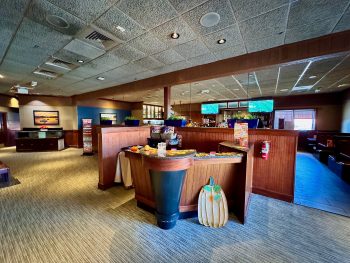
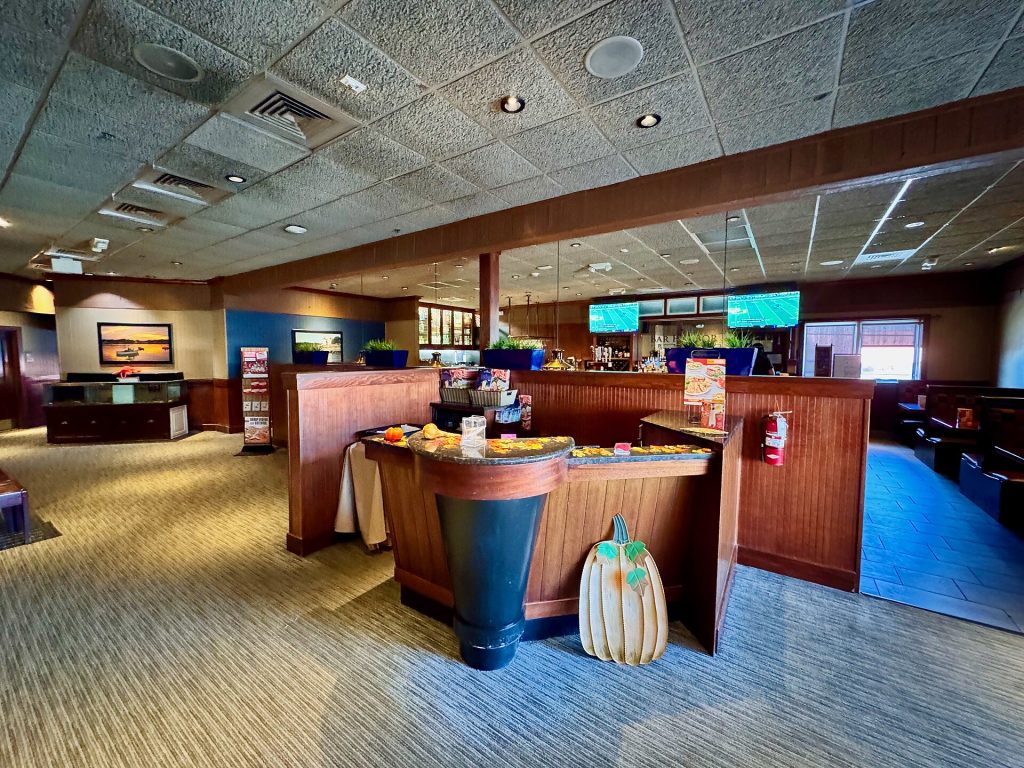
Featured photo: The host stand at a Red Lobster restaurant in Knoxville, Tennessee 01 by Harrison Keely, BY 4.0.