Restaurant local SEO is the work of making your restaurant show up when someone nearby searches for what you serve, mostly in Google Maps and the map pack at the top of search. Google says it ranks those results on three things: relevance, distance and prominence. You can’t move your building, so the work is about the other two.
In practice that means a complete, accurate Google Business Profile, a steady flow of reviews you actually respond to, and a website that states the same facts clearly, ideally with structured data Google can read.
None of it is technical in the way agencies sometimes make it sound. Here is what each piece does and where your time is best spent.
Key takeaways
- Google ranks local results on relevance, distance and prominence, and says you cannot pay for a better local ranking.
- A verified, complete Business Profile with the right category, hours and attributes is the foundation.
- Keep hours, special hours and your menu current. Wrong information costs you covers directly.
- Reviews and replies both count toward prominence. Ask consistently and respond to all of them.
- Mark up your website with schema.org Restaurant data in JSON-LD, which Google recommends.
The three things Google weighs
Google’s own help page on local ranking names three factors:
- Relevance: how well your Business Profile matches what someone searched. A profile that clearly says “Neapolitan pizza” has a better shot at that search than one that just says “restaurant”.
- Distance: how far your restaurant is from the person searching.
- Prominence: how well known your business is. Google says this is based on things like how many websites link to your business and how many reviews you have.
The same page is blunt about one thing: there is no way to request or pay for a better local ranking. Whatever else you spend money on, the organic map results are earned.
Distance is fixed. Relevance and prominence are the two dials you get to turn.
Your Business Profile is the storefront
Your Google Business Profile is usually the first thing a diner sees, often before your website. Google’s getting started guide for restaurants covers the basics: address and phone number, business hours, special hours, photos and videos, attributes, menus, ordering and bookings, reviews and posts.
Get these right first
- Verify the profile. Google says verified businesses are more likely to show up in search results.
- Choose a precise primary category. “Thai restaurant” beats “restaurant” for relevance.
- Fill in attributes. Outdoor seating, wheelchair-accessible entrance, reservations and similar details help match specific searches.
- Add real photos. The dining room, the exterior so people can find the door, and your best-selling dishes.
- Connect ordering and booking. If you take reservations or online orders, link them so diners can act without leaving Google.
Keep it active
Google’s restaurant guide also points to posts for offers, updates and events, and to the profile’s performance metrics, which include searches, menu clicks and completed bookings. A new post for each seasonal menu or event gives diners a reason to click, and a monthly look at those numbers tells you whether your changes are working. If menu clicks rise but bookings don’t, the problem is probably on the booking side rather than in search.
Menus, hours and the details diners check
Nothing loses a diner faster than arriving at a locked door. Keep regular hours accurate and use special hours for holidays, private events and seasonal closures. Google treats special hours as a separate setting, so set them ahead of each holiday rather than editing your regular hours and forgetting to change them back.
Put your menu where Google can read it
Food and drink businesses can add menu items directly to their profile, organised into sections with descriptions and prices. Menu text also helps relevance. If you serve birria tacos, having “birria tacos” on your Google menu and your website gives Google more reason to show you for that search.
- Use the dish names guests actually search for, not only internal or playful names.
- Update prices when you reprint the physical menu.
- Remove seasonal dishes when they come off, so guests don’t arrive expecting them.
Reviews and how to handle them
Google says more reviews and positive ratings can help local ranking, and that replying to reviews shows customers you value their feedback. Both parts matter. A stream of recent reviews signals an active, well-known place, and your replies are read by the next diner deciding where to eat.
A simple review routine
- Ask at the right moment. A card with a QR code in the check presenter, or a line in the booking follow-up email, works better than a sign on the wall.
- Ask everyone. Don’t hand-pick happy tables; that skews your feedback and invites trouble.
- Reply to all reviews within a few days. Thank people for good ones by mentioning a specific dish.
- Handle bad reviews calmly. Acknowledge the problem, say what you have changed, and offer to continue offline. Never argue in public.
Our guide to responding to online reviews goes deeper on tone and templates.
Your website and restaurant schema
Your website supports everything above. It should state the same name, address, phone number and hours as your Business Profile, show your menu as text rather than only a PDF or image, and load quickly on a phone.
What restaurant schema is
Structured data is a small block of code that describes your business in a format search engines can read. Schema.org defines a Restaurant type, a kind of FoodEstablishment and LocalBusiness, with properties such as servesCuisine, hasMenu, acceptsReservations, openingHoursSpecification, priceRange, address and telephone.
Google’s documentation for local business structured data recommends JSON-LD, requires the business name and address, and recommends using the most specific subtype, such as Restaurant. It also warns that structured data does not guarantee any search feature will appear. Treat it as a way to remove ambiguity, not a ranking trick.
| Schema property | What to put in it |
|---|---|
| name and address | Exactly as they appear on your Business Profile |
| telephone | Your main line, with country and area code |
| servesCuisine | Your cuisine, for example “Vietnamese” |
| hasMenu | The URL of your HTML menu page |
| acceptsReservations | True, or the URL of your booking page |
| openingHoursSpecification | Your regular opening hours, by day |
| priceRange | A short indicator such as “$$” |
Most website builders and WordPress SEO plugins can output this for you. After adding it, run the page through Google’s Rich Results Test to confirm it is valid.
FAQ
How long does restaurant local SEO take to work?
Profile fixes such as hours and categories can show up quickly, while review volume and prominence build over months. There is no fixed timeline.
Can I pay Google to rank higher in Maps?
Not in the organic results. Google states there is no way to request or pay for a better local ranking.
Do I need a website if I have a Business Profile?
Yes. Your website is where you control the details, host a crawlable menu and add structured data that backs up your profile.
Should I use keywords in my business name on Google?
Use your real business name. Relevance comes from your category, menu, attributes and website content.
A 30-minute local SEO check
Search for your restaurant on your phone today and check four things: the hours, the category, the menu and your last five reviews. Fix anything wrong, reply to anything unanswered, and set a monthly reminder to do it again. For more on getting guests in the door, browse our restaurant marketing guides and read up on building a restaurant website that converts.
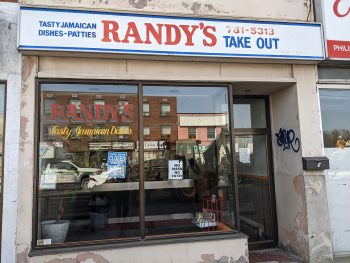
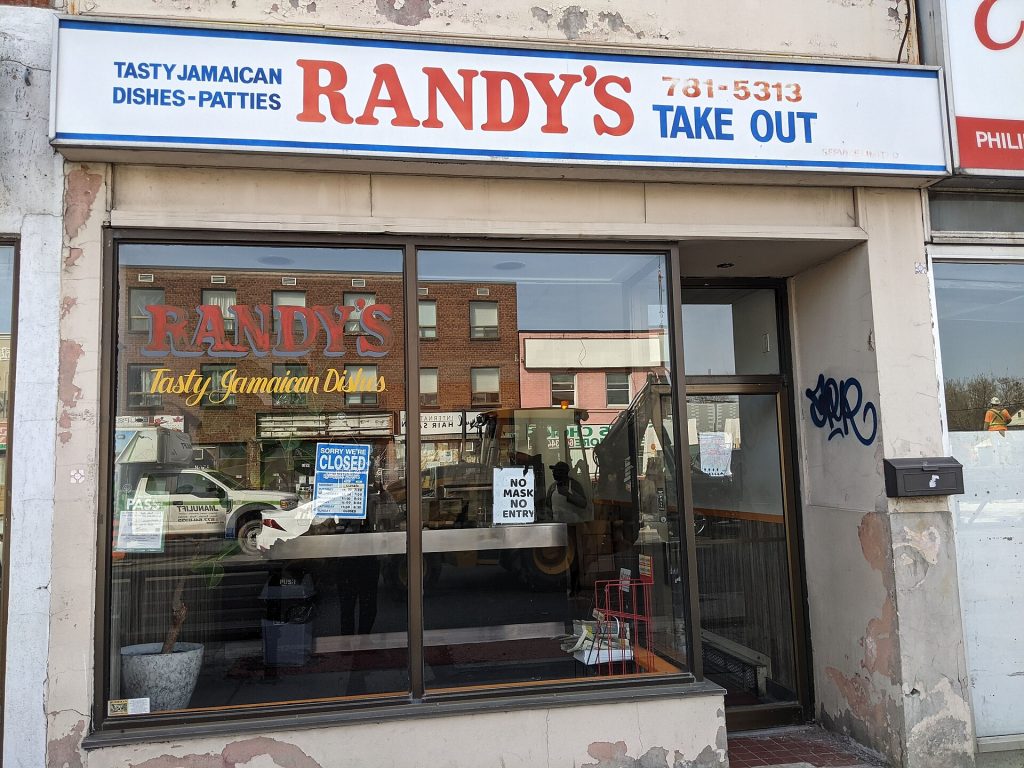
Featured photo: Randys Take Out Storefront 2021 03 23 by Assumedform, BY-SA 4.0.